
Best Laptop Cooling Pads for Gaming in 2026


Quality goes a long way. as long as you have the proper cooling pad for the proper way you use your laptop. Some have the feature of blowing air straight onto the hottest points of the laptop, while others are designed purely for providing space for natural ventilation of the laptop’s heat.
And let’s be honest, a few have just been built to look pretty on your desk too! I’ve managed to come across a few that are great for all sorts of different uses, for gaming laptops like MSI or HP, for large 17-inch laptops that weigh as much as they do because of their large size, or for low budget laptops should you need to increase performance without breaking the bank.
These are all done as much research and going through what all the experts have to say from assorted places around the internet, without using every single product myself.
Your purchase through our links helps keep us going, with zero added cost to you. Here’s how it works.
Table of Contents
Quick Picks: Best Laptop Cooling Pads for Gaming
| Product | Best For | Key Strength | Price Range |
|---|---|---|---|
| Razer Laptop Cooling Pad | Best overall | Sealed chamber design, app control | Premium |
| IETS GT600 V2 RGB | High heat gaming | Design of a secure space with app control | Premium |
| Llano V12 / V13-style sealed cooler | Strong cooling value | Seal design, high fan output | Mid |
| Thermaltake Massive 20 RGB | 17 inch laptops | Big fan, wide fit | Mid |
| Havit HV-F2056 | Best budget | Three fans, speed dial | Budget |
| TeckNet N8 | Best under $25 pick | Cheap, slim, decent airflow | Budget |
| TopMate C5 | Manual control | Multiple fans, adjustable speeds | Budget |
Buying Guide: What matters in a gaming laptop cooling pad
- The importance of choosing the right size cannot be overstated. For example, if you’ve got a 17-inch gaming laptop, it needs support underneath. If it’s just hanging from the edge, it does not work, as it plugs all the airflow.
- Ensure you have the dimensions of your laptop at all times even before you buy it. First, check if it exists within the limits of size of the concerned pad.
- How it cools actually matters Open pads blow air upwards directly. Sealed ones blow the air via certain vents.
- Sealed pads are known to perform better with high performance laptops, especially those that intake air through the bottom.
- Advice: don’t get too obsessed with the A big fan can work quietly by itself.
- Plenty of small fans can line up with your laptop’s vents to help you sometimes. It’s just the way it circulates not how many fans are blowing.
- There is generally some noise involved with cooling. However, if maximum airflow is important to you, then so is maximum noise. Quieted pads just won’t cool as well. Think about what you can live with in terms of space and when you play.
- USB ports still count
- Most pads use only one port. Pass through ports are useful if using a mouse, headset, or controller.
Here are the in-depth reviews
Razer Laptop Cooling Pad (Best overall gaming pad)

Specifications | |
|---|---|
| Fan setup | 1 × 140mm fan |
| Laptop size support | 14–18 inch |
| Max fan speed | Up to 3,000 RPM |
| USB ports | 3x USB 2.0 Type-A |
| Control | Software fan curves and buttons |
| Weight | 3.52 lbs (1.6kg) |
Who should buy this?
- Gamers with hot laptops
- Users who want fine fan control
- save your laptop’s long-term health
Who should skip it
- Budget buyers
Real-world use
Thin gaming laptops on a desk during long sessions.
Quick verdict
What is interesting about the Razer Laptop Cooling Pad, however, is the manner in which, with certain blades, this allows for a computer to operate at a higher level without overheating. What this really means is that, with the increase in cooling, there is a greater degree of time in which the computer is not going to overheat, even as the CPU and the GPU are operating. This is not exactly a peripheral that is going to take a laptop and turn it into a desktop, but there is a clear understanding in the design of the strategy for improving the cooling system, the manner in which smoother and more evocative game play is going to take place, and the manner in which the frame rate is going to stay high, as opposed to the fans spiking too frequently.
Outstanding
It provides strong airflow through its sealed system and also has additional features such as fan control functions and a USB hub. Although it is pricier than most laptop coolers out there, for gamers who experience throttling issues because of laptops’ heat issues, this is the ultimate laptop cooling pad you can buy from this list.
IETS GT600 V2 RGB (Best for overheating gaming laptops)

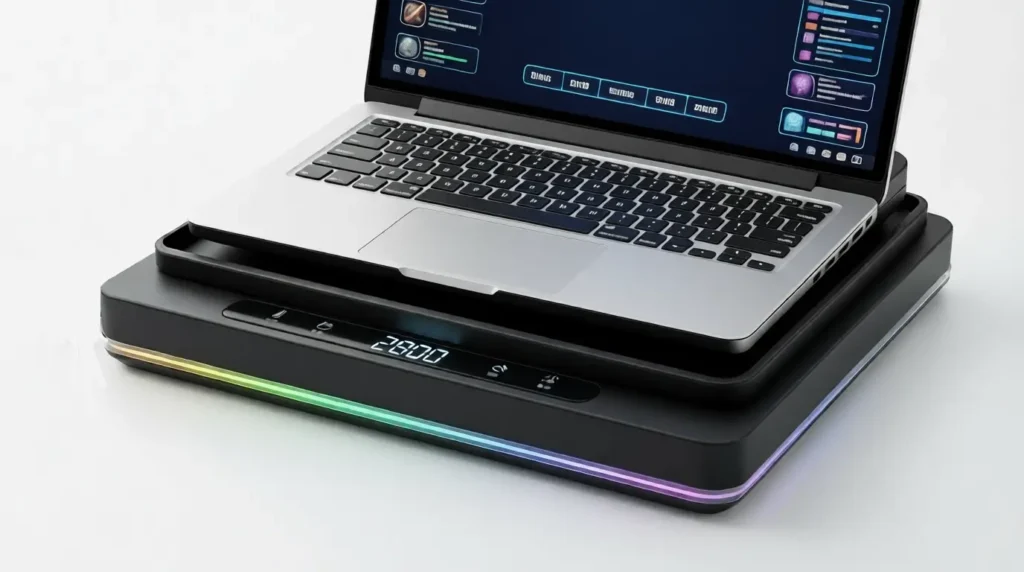
Key specs
Specifications | |
|---|---|
| Fan type | Turbo blower |
| Fan speed range | Up to around 2,800 RPM |
| Laptop size support | Works with laptops roughly 13”–19.3” |
| Seal design | Foam gasket |
| Extras | RGB lighting, control display (varies by version) |
Who should buy this
- High performance gaming laptops
- Users fighting thermal throttling
Who should skip it
- Quiet room setups
- You want portability
Real-world use
Long AAA gaming sessions with high CPU and GPU load.
Quick verdict
Instead of allowing air to spill out around the edges, IETS focuses on pushing it directly into laptop vents. The GT600 V2 RGB deploys a large turbo fan reaching up to nearly 2,800 RPM, with a seal of foam keeping airflow focused on the areas where heat tends to build up most. It covers everything from small notebooks to large 17-inch and 19-inch gaming laptops. It’s a great, flexible choice for high-heat setups. Digital controls take care of the fan speed and lighting. The USB hub that’s integrated in provides more ports for accessories. Cooling strength here is the highlight, while higher noise at top speeds is the give for strong airflow.
High Performance Cooling
The IETS GT600 V2 RGB focuses on raw airflow pressure, making it a strong choice for overheating gaming laptops. It gets loud at higher speeds, but few cooling pads push air as effectively through bottom vents.
Llano V12-style sealed cooler (Best cooling value)

Key specs
Specifications | |
|---|---|
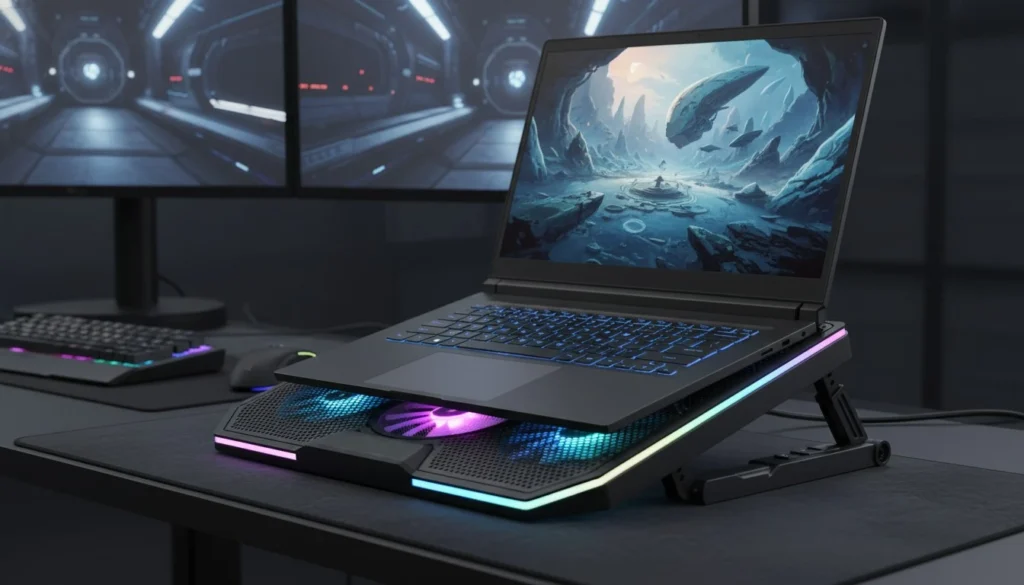
| Cooling design | Recessed fan with foam seal |
| Fan output | High (model dependent) |
| Laptop size support | Large laptops |
| Power source | USB or external adapter (varies by model) |
| Use case | Desk gaming setups |
| Fan speed range | 2,800rpm |
Who should buy this
- Gamers who want strong cooling without premium pricing
Who should skip it
- Travel users
Real-world use
Best for hot gaming laptops during long sessions, helping keep temperatures steadier while playing demanding games.
Quick verdict
Sealed cooling pads laptop stand like the llano gaming laptop cooler work well because they match how gaming laptops handle airflow. By forcing air directly into bottom intake vents, they reduce heat buildup more effectively than flat cooling mats. Fan speed control lets users balance noise and cooling, and the foam seal helps limit dust getting inside the laptop. These pads are larger and louder than basic options, but they make more sense for gaming laptops that struggle with heat.
Best Cooling Value
Llano’s sealed airflow design provide strong temperature control, which offers high performance at a non-premium price point. Noise level: The noise level also increases with a higher load, but for a gamer looking for high cooling performance at a more reasonable price, it is a good balance.
Thermaltake Massive 20 RGB (Best for 17 inch laptops)

Key specs
Specifications | |
|---|---|
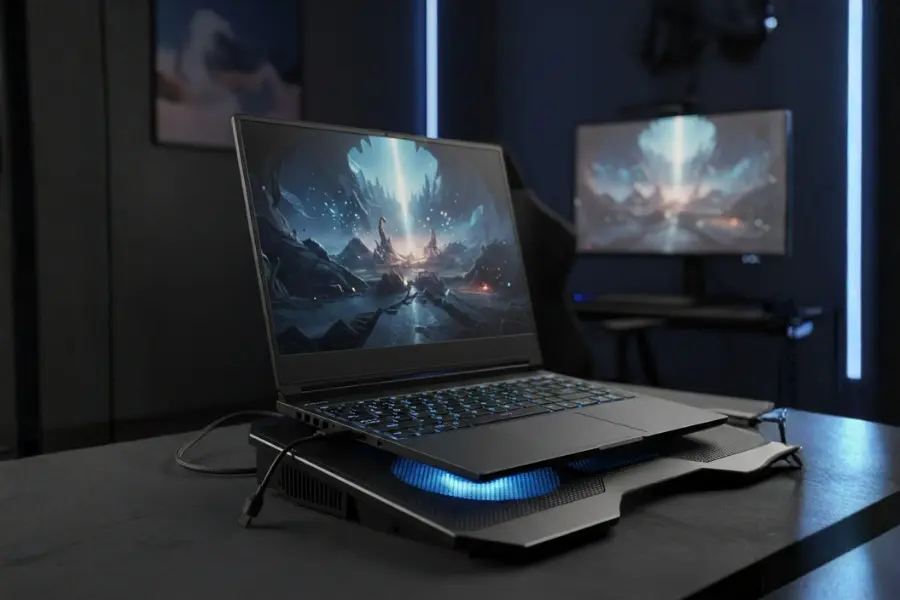
| Fan setup | Single large 200mm fan |
| Laptop size support | 17 to 19 inch |
| Cooling style | Wide airflow and raised mesh design |
| Portability | Desk use only |
| Extras | RGB lighting, tilt adjustment |
| Noise level | Low to moderate |
Who should buy this
- 17 inch gaming laptop owners
Who should skip it
- Portable setups
Real-world use
Helps lower GPU temps and improves airflow, though gains are modest during heavy gaming loads.
Quick verdict
Most people enjoy the Thermaltake Massive 20 RGB due to its size and strong base, which can accommodate a 17-inch gaming laptop with ease. It distributes the airflow evenly while reducing the heat generated by the laptop. However, the lighting feature is a favorite choice for many. The feature has a disable mode that users find convenient.
On the other hand, the fan has received divergent opinions with regards to the performance during the cooling process. It works well with moderate games but seems to underperform with strong games due to the one fan design. The fan operates quietly but increases noise during higher modes.
The major drawback of the Thermaltake Massive 20 over the other coolers lies in the power consumption, which uses more than a single USB port and lacks the pass-through ports for a messy desk system.
Best for Large Laptops
Provides modest but real improvements up to 7°C cooler GPU and ~200 MHz CPU boost. Works best with laptops having bottom air vents at max height and fan speed. Worth ~$40 for gaming laptops, but won’t eliminate thermal throttling. Main downside: uses up to two USB ports with no wall power option.
Havit HV-F2056 (Best budget cooling pad for gaming)

Key specs
Specifications | |
|---|---|
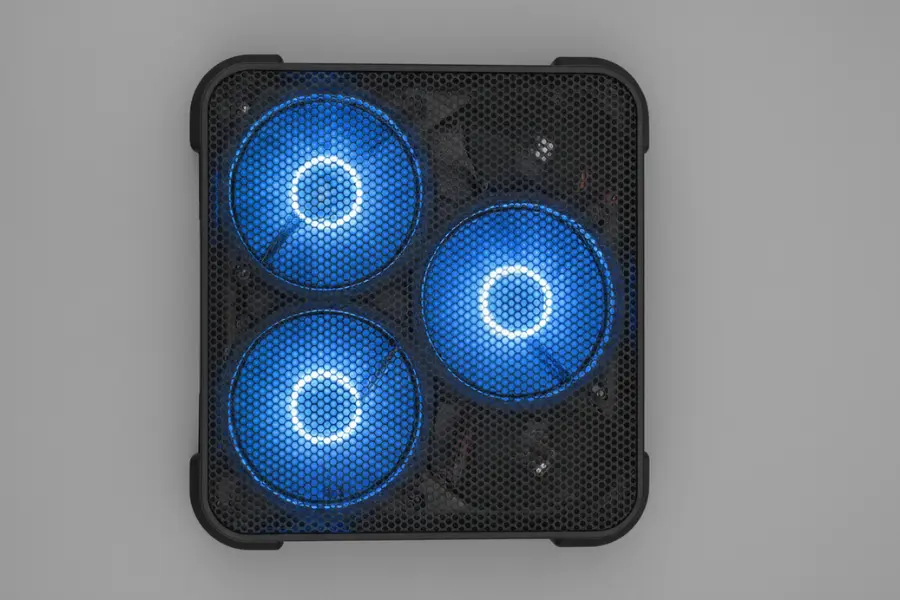
| Fan setup | 3 medium fans |
| Fan control | On/off switch only |
| Laptop size support | Up to 17 inch |
| USB ports | USB pass-through (low power) |
| Price tier | Budget |
Who should buy this
- Looks good for budget gamers and students interested in quiet cooling systems that can keep laptops at warm temperatures.
Who should skip it
- High-end gaming laptops which are generally hot-running or have complex internal designs.
Real-world use
Moderate gaming, doing school work, using travel desks, and extensive laptop use.
Quick verdict
Generally, in long-term user feedback for the Havit HV F2056, the device has been described as a quiet, well-built device for laptop cooling. Clearly, the strong suit of the Havit HV F2056 has been found to be moderate rather than high-intensity gaming.
Durability of the Havit is also frequently mentioned by several users in reviews, with the device being found to be lightweight in metal mesh while still being sturdy enough to support 15.6 to 17-inch laptops without flexing and moving.
The Havit HV F2056 also frequently references the performance of the device in relation to the sound it makes. Sounds like the Havit HV F2056 being very quiet with all of its fans operating, users have stated that they are merely barely audible.
While this cooling pad performance mostly greatly depends on the specific laptop, several users have found that the Havit was effective in reducing the CPU and GPU temperature of their laptops.
Unfortunately, the Havit does not have enough power to charge a peripheral device through a USB port.
Quiet Budget Pick
The Havit HV-F2056 cools lightly, providing silent operation and slim profile. It excels with moderate heat and a silent environment, making it a good budget option for average games and office use.
TeckNet N8 (Best budget cooling pad under $25)

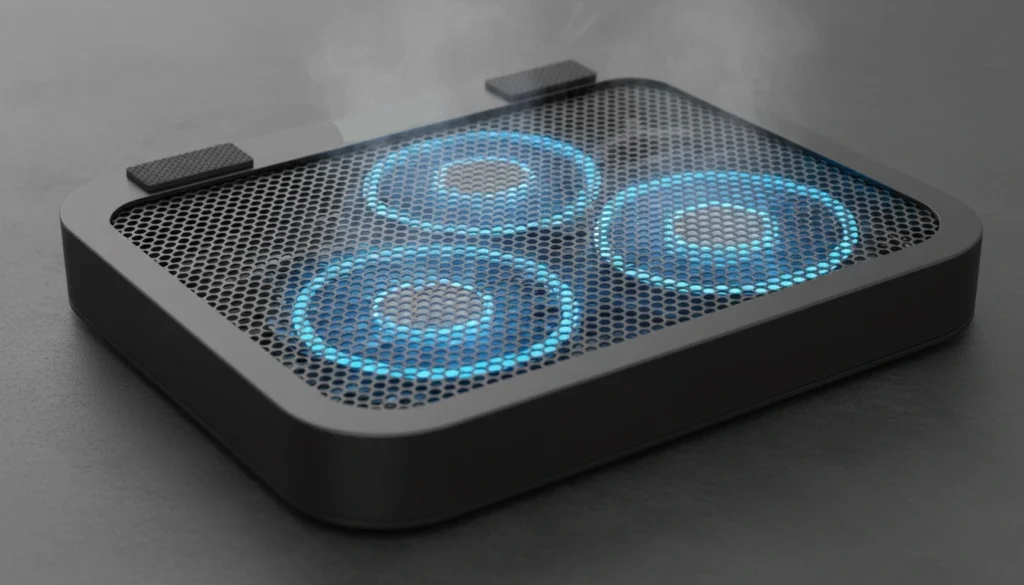
Key specs
Specifications | |
|---|---|
| Fan setup | Dual to triple fans (model dependent) |
| Laptop size support | Up to 17 inch |
| Cooling style | Active airflow with metal mesh |
| Noise level | Low for most users |
| Price tier | Budget |
| USB ports | USB pass-through hub |
Who should buy this
- Students and budget gamers
- People with overheating everyday laptops
- Travel and lap desk users
- Quiet room setups
Who should skip it
- High-watt gaming laptops that throttle heavily
Real world use
School work, video editing, light gaming, and daily desk or lap use.
Quick verdict
According to the users of the TeckNet N8 cooling stand, the product does more than just circulate air under the laptop. No doubt about that. From the responses of the users, the product really works. Many have noticed that the product works simply because the temperatures do go down. From 10-15 degrees down, as noticed after gaming or video editing.
The mesh metal material used is slim such that the flow of air is unfettered. For that reason alone, the laptop is kept cool with no room for the buildup of heat after hours of gaming.
However, the extra USB port is also appreciated by the users. On their part, the users are satisfied with the quiet operation of the fans. In fact, the operation of the fans is barely noticed compared to the cooling system of the laptop.
Best Ultra-Budget Option
The TeckNet N8 provides significant cooling at an extremely low cost. Although it is not built to handle critical high-watt gaming laptops which have trouble with heavy throttling, users report significant reductions in temperatures while gaming and video editing. As a device to significantly improve airflow as compared to flat usage on a desk, it works wonderfully for regular gaming laptops and school laptops.
TopMate C5 (Best budget pad with manual fan control)

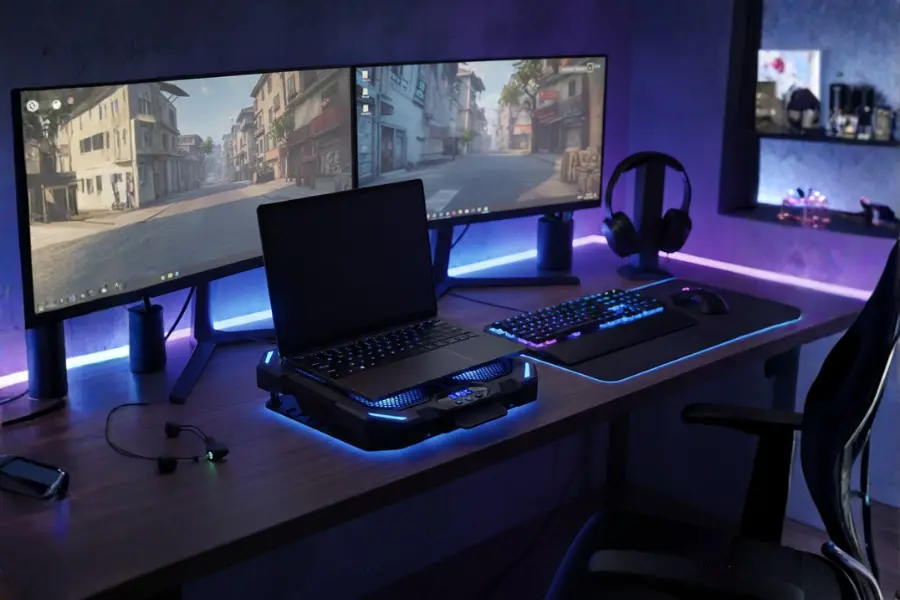
Key specs
Specifications | |
|---|---|
| Fan setup | 5 built-in fans |
| Laptop size support | Best for 15.6 inch, fits some 17 inch |
| Fan control | Manual speed levels |
| Stand options | Multiple adjustable angles |
| Target buyer | Budget gamers |
| USB ports | Two USB pass-through ports |
Who should buy this
- Budget gamers who want adjustable cooling without spending much.
Who should skip it
- Users with very hot laptops or those who want sealed pressure cooling.
Real world use
Works well for mid-range gaming laptops that run warm during long sessions. Many users get better results powering it from a separate USB power bank instead of the laptop’s USB port.
Quick verdict
The customers have been able to attest that it is as if one is working with a small desktop stand, with good airflow and beautiful blue LED lights. The effective functionality of the product in the aspect of providing the necessary cooling for the laptop is found to be good as the customers point out the lower temperature following an extended period of gaming or live streaming, provided that the fans are on lower settings.
The second advice given by the various customers who have purchased the product is that it would be wise that the product is not plugged into the laptop. This is as some have been known to complain about the distortion of the laptop’s screen colors as the cooler is plugged in.
However, the best results would be achieved when the product is used with an independent power bank, as it is able to demonstrate the efficiency of the fans through the innovative product cooler. The quality is also appreciated as it is robust, with the holding mechanism remaining steady, the height adjustments being reliable, although the cable could have been slightly longer, allowing the usage of USB-C instead of the older USB-A connector.
Budget Friendly and Flexible
In general, customers seem to like the variable fan control and good air circulation for the price. However, some people have differing opinions about the noise and build quality. Some people have found it to be quiet, but there have also been reports of noise when using the fans at high speeds. One or two customers mention some build quality worries, like the snapping stands and questionable fan behavior. Good for gamers looking for control without breaking the bank.
FAQ
Are laptop cooling pads useful in gaming?
Yes, many do. The results may differ based on laptop vent design and pad design. Sealed pads are useful for hot gaming notebooks. Learn more about cooling pad benefits in HP’s guide
Will a cooling pad resolve the overheating?
It may help alleviate a heat problem. It will not repair a clogged fan, dry thermal paste, or blocked vents.
Best cooling pad suitable for an MSI gaming laptop?
Start with sealed pads like IETS or Llano style. Many MSI models draw air through the bottom. They can benefit a lot.
What is the best cooling pad for an HP gaming laptop?
Same rule… matched to the bottom vents and the laptop size. Large HP laptops work well on large pads like the Massive 20.
Are there any benefits of using cooling pads for MacBooks?
Note that different MacBooks have different cooling characteristics. For many, there is not much point in using a gaming-type fan cooling mat. Even a simple stand is sometimes beneficial though.
What temperatures are considered too hot for gaming?
Laptops tend to run hot under heavy loads. The key here is running high temps for an extended period, with performance degradation and high fan spin. Running heavy loads consistently indicates improved cooling.
Final Recommendations
So, what’s the best laptop cooling pad for gaming in 2026?
Well, if you’re looking for a recommendation that offers all the features you’ll need for gaming in 2026, then you should opt for the Razer Laptop Cooling Pad.
This option is just better than most laptops simply because it features a sealed airflow system that blows cool air directly into the vents of your computer, not from the sides like most other laptops.
The fact that the U shaped fan is large means it has a wide air-moving capacity but also doesn’t get extremely loud doing so.
The option also includes a USB port organizer so that you avoid clutter on your desk.
Although you might pay a premium for this option, it offers you everything you’ll need to defeat issues like heat, sudden noises from the fans, or throttling.
Transparency and methodology
We consider technical specifications, field performance, and customer reviews from credible sources to make fair comparisons and rank them accordingly.
BaseOfTech does not employ invasive display ads or pop-ups. The content we create is research-based, clear, and aims to help you make better tech choices. For our full Transparency & methodology policy, click here.